



How to Choose the TIKITAKA M5: Split Layout, Nylon Keys, Full Aluminum Face, Kasumi Switch
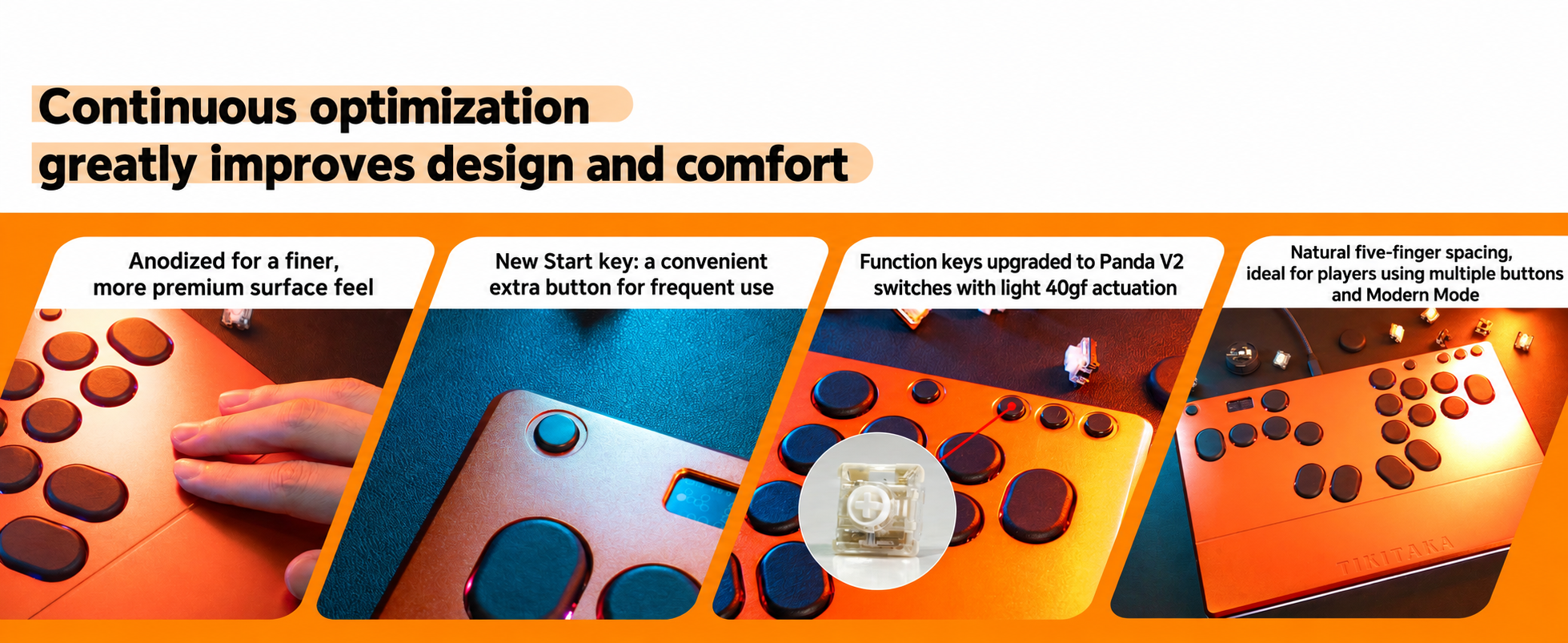
The TIKITAKA FTG M5 aluminum series is not “just another metal leverless.” It combines a left–right split layout, many remappable keys, nylon buttons, a full aluminum face, rear lighting, and the Kasumi switch. This guide is written for players who care about posture, training workflow, and seasonal comfort—with practical seasonal and layout trade-offs.
Product page: TIKITAKA FTG M5 (colors: black / orange; platforms: PC / PS5)

What the M5 actually is
- Left–right split key blocks
- Full aluminum face
- Nylon keys (a different tier from common injection-molded keys)
- Kasumi switch (shallow actuation; competition-leaning once adapted)
- Many keys you can remap — fit more habits; free up function keys for training
- Rear light — on or off, your call

1. Remappable keys: many habits, easier training
One practical strength of the M5 is that the layout is not locked to a single “official” finger map. You can shift bindings toward your own habits, so it fits a wider range of players instead of one fixed style.
Extra keys also help in the training mode. Keys you do not need in ranked play can become function keys—record, reset, scene change, system shortcuts—without fighting your combat cluster. If you only play ranked and never remap, this matters less. If you grind combos and setups for hours, it matters a lot.
2. Split layout: hands can open up (subjective)
The point of a split is that both hands are not crushed onto one narrow panel. Hands can rest more open; fewer people feel that “elbows in, chest compressed” squeeze.
It is personal. Shoulder width, desk height, and muscle memory vary. Split is a posture and space option, not a medical claim.
3. Nylon keys vs injection plastic
M5 uses nylon keys. Versus common injection-molded keys, cost and feel sit in a different tier—damping, return, and long-session texture. It is not just a color change on a keycap.

4. Full aluminum face: very cool in summer; switch to J2A in cold rooms
- Summer: very cool, very comfortable—the most honest upside of a full aluminum face.
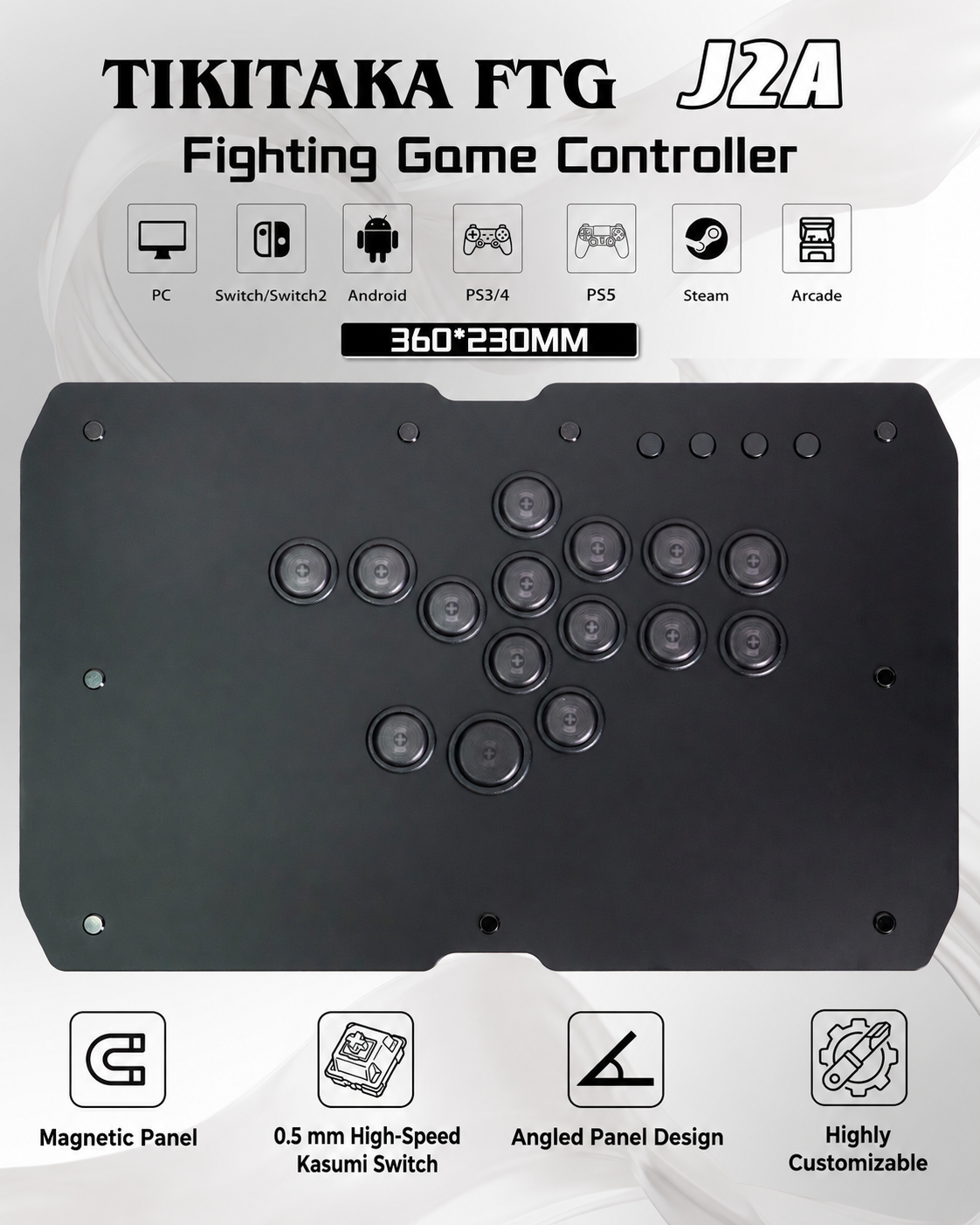
- Winter without heating: the metal freezes your hands. Do not force M5. Switch to our J2A layout—a seamless seasonal option alongside M5, not a random unrelated device.
Heated room? Keep M5. No heat and cold hands? Start with J2A.
5. Rear light: optional
There is lighting on the rear. Turn it on for desk presence; turn it off for clean streams or dark rooms. Preference only.

6. Kasumi switch: strong for top-leaning play after adaptation
M5 ships in the Kasumi direction—shallow actuation. The first days may feel “too light.” After adaptation, players who want speed and clean inputs often find it competition-leaning. That is design intent, not a defect, and not a magic skill upgrade.
Who it fits / who should pause
Good fit if you want a split, remaps and training function keys, nylon feel, summer aluminum coolness (or a heated winter room), and will adapt to Kasumi.
Pause if you live on one-piece layouts, never remap, hate cold metal in unheated rooms (use J2A instead), or refuse shallow-switch adaptation.
Nearby models
| You care about | Look first |
|---|---|
| Split + aluminum face + nylon + remaps + Kasumi | M5 |
| One-piece aluminum / other colorway stories | M3 |
| Another split line | S15 (not a mini M5) |
| Efficiency layout / higher finish | M5Pro |
| Angled panel / winter alternative path | J2A |
Full lineup: leverless model comparison. Remember: M5 itself is a split.
FAQ
Q. Is split always less tiring?
A. Many players feel more open and less chest squeeze; others prefer one-piece. Personal.
Q. Winter with M5?
A. Fine with heating. Without heat, prefer seamless switch to J2A. Summer aluminum is very cool and comfortable.
Q. Is Kasumi only for pros?
A. No. It is competition-leaning after adaptation—not a membership card.
Q. Does the light affect play?
A. No. Cosmetic preference.